
Build a Maze with Scratch
A Kenwood Elementary Tech Time Program
Background
This workshop was designed for the Kenwood Elementary Tech Time after school program. Kenwood’s after school Tech Time program engages students with the hardware, software, and social aspects of technology. It was a collaboration between the University of Illinois Graduate School of Library and Information Science and Kenwood Elementary School.
Workshop Description
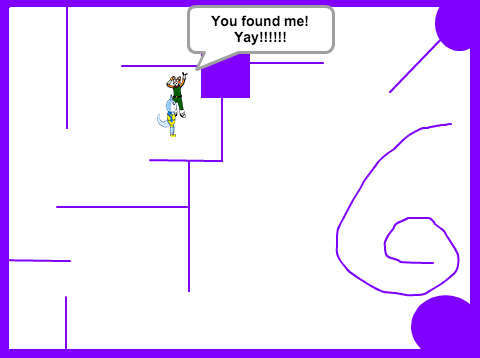
This workshop will focus on using Scratch to create maze games and allow participants to imagine and express their own thematic journey’s through these games. We’ll introduce the concept of using game design as a personal storytelling platform by exploring some of the themes from the “Tropes vs Women in Video Games” web series and creating a simple game motivated by the video. Next we’ll have the participants design their own maze themed games and narrow down their designs to a simple prototype they feel they have most of the skills to complete.
Workshop Resources
Day 1
The Princess Saves Mario
Goal: The objective of this session is to introduce Scratch, give an emotion prompt for why you might want to create a new game, and give the kids the feeling they can create a “finished” game with this tool in even a very short time.
- Get to know your group activity
- Intro to the state of stories in games. Watch the first few minutes of “Damsel in Distress: Part 1 – Tropes vs Women in Video Games“ and associated discussion
- Scratch tutorial. Create a Scratch game where Krystal from Dinosaur Planet saves Fox McCloud (as this is a primary story featured in Damsel in Distress: Part 1 and a good replacement for mario and the princess).
- Show kids the Scratch web interface, introduce it’s features, and let them poke around.
- Have them make a copy of a demo game.
- Add spites the world and give them simple behaviors that let Krystal save Fox
Presentation:
How things actually went: The goals for the day were a bit stretched and we only made it through about half the material. Day 2 presentation will pick up about half way through the material planned here.
Day 2
Advances Scratch Maneuvers
Goal: The objective of this session is to focus on “finishing” the scratch game they started in Day 1. This means having added a custom background to their game and giving a sprite keyboard controls. For those who want to follow along we’ll walk through the details of creating the game with an on screen presentation. For students who can move ahead on their own they will be encouraged to do so.
- Some basic programming concepts do discuss during the day.
- Sequence of commands (things happen in a certain order in our program)
- Conditional structures (if, then, else)
- Looping structures (while)
Presentation:
How things actually went: This day went really well. Almost all the kids were able to program their sprites to move with keyboard commands and those more familiar with scratch were able to have them bounce off walls and trigger a win condition when Krystal met Fox.
Day 3
Game design
Goal: The objective of this session is to encourage the kids to think of themselves as game designers and help them plan a game they might like to create. Most of this will be done on paper.
- Story board their ideas on paper
- Draw out the maze and describe how parts of it fit their theme
- Do paper based mock up’s of mazes
- Draw/create characters or other objects in the maze
- Start on recreating their work inside of Scratch for kids who want to move ahead
Presentation:
Planning Worksheets:
- Worksheet: Creating a theme for your game
- Worksheet: Creating game mechanics for your game
- Worksheet: Storyboard your game
How things actually went: